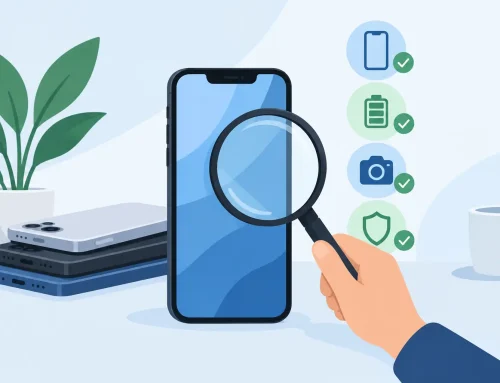
A used tablet can look clean, power on fine, and still give you trouble a week later. That is why knowing how to test used tablet condition properly matters before you hand over your money. A quick look at the screen is not enough. You want to check the parts that usually fail first, the signs of hidden damage, and whether the device is still tied to someone else’s account.
If you are buying for school, work, streaming, gaming, or as a spare device, the goal is simple. You want a tablet that is ready to use, priced fairly, and not hiding expensive problems. Some issues are minor and acceptable if the price is right. Others should stop the deal immediately.
How to test used tablet condition the right way
Start with the basics before you get distracted by storage size or brand. Check the model number, storage capacity, and if possible, the battery health or usage condition. Sellers sometimes list a device by a general model name, but the exact version matters. Cellular and Wi-Fi-only models can look identical. Older storage variants can also affect resale value and day-to-day use.
Then inspect the body closely under good lighting. Small scuffs are normal on used devices. What you do not want are bent corners, gaps in the frame, loose buttons, or signs the tablet has been opened before. If the frame is warped, the screen and battery may already be under stress. If you see lifting near the display, that can point to battery swelling, and that is not worth the risk.
Ask whether the tablet was repaired before. A past repair is not always a deal-breaker, but it changes how you judge the price. A genuine screen replacement done properly is one thing. A cheap third-party panel with weak touch response is another.
Screen, touch, and display checks
The display is one of the most expensive parts to replace, so spend time here. Open a white background and look for yellowing, dead pixels, bright spots, flickering, or uneven brightness. Then switch to a dark background and check for pressure marks, burn-in, or glow around the edges.
Touch response should be tested across the whole panel, not just the center. Drag an app icon around the screen or use a drawing app to make lines from edge to edge. If parts of the line skip, the digitizer may have dead zones. That becomes annoying fast, especially for typing, note-taking, or gaming.
Also test auto-brightness if the tablet supports it. A screen can look fine indoors but behave poorly when brightness control is unstable. For buyers who plan to read, stream, or work on the tablet every day, a weak display is not a small issue.
Battery and charging checks
Battery condition is where many used tablets disappoint. A device may boot and hold charge for ten minutes in front of you, but that does not mean the battery is healthy. If the tablet shows battery health data, check it. If not, watch how quickly the battery percentage changes during testing.
Plug it in and confirm that charging starts normally. Move the cable slightly while it is charging. If the charge cuts in and out, the port may be worn or loose. That could mean a simple cleaning, or it could mean board-level repair.
A tablet that gets unusually hot during light use is another warning sign. Heat can point to battery wear, charging faults, or internal damage. Some older tablets naturally run warmer than new ones, so this is a judgment call, but noticeable heat after a few minutes of browsing or video playback should make you cautious.
How to test used tablet performance and core features
Once the physical condition looks acceptable, test real usage. Open several apps, switch between them, rotate the screen, type on the keyboard, and play a video. The tablet does not need to feel brand new, especially if it is an older budget model, but it should feel stable. Frequent app crashes, random restarts, or long delays can point to storage issues, weak battery behavior, or software problems.
Check the speakers at different volume levels. Distortion, crackling, or one side sounding weaker can indicate drops or water damage. Test the microphones too by recording a short voice memo and playing it back. If you plan to use the tablet for video calls or online classes, this matters more than many buyers expect.
Cameras should be opened from both front and rear, if the tablet has them. Look for fogging, focus problems, or strange marks in the image. Front camera quality is often average on tablets, especially older ones, so judge it reasonably. The key thing is whether it works properly for scanning documents or taking a call.
Wi-Fi and Bluetooth are essential. Connect to Wi-Fi, load a few sites or videos, then pair a Bluetooth device if available. Slow loading can come from the network, so do not blame the tablet too quickly, but dropped connections or failure to detect networks can signal hardware trouble.
Buttons, ports, and sensors
Press every physical button several times. Power and volume keys should click cleanly and respond right away. Sticky buttons are common on heavily used devices and can become worse over time.
Test every port the tablet has. That usually means USB-C or Lightning, and in some cases a headphone jack or SIM tray. Insert and remove accessories carefully to check fit. If the tablet supports cellular service, confirm that the SIM is recognized.
Sensors matter too, even if buyers forget them. Rotate the screen to see if the accelerometer works. Test face unlock or fingerprint scanning if included. A broken biometric feature may not stop you from using the tablet, but it should affect the price.
Check for account locks and missing functions
This is the part many people skip, and it can turn a cheap deal into a useless device. Make sure the tablet is signed out of the previous owner’s account and is not blocked by activation lock or factory reset protection. On an iPad, that means confirming Find My is off and the device can be set up without another person’s Apple ID. On Android tablets, check that Google accounts are removed and the device can be reset and activated normally.
Do not accept promises like, “I’ll remove it later.” If the lock is still there, treat that as a no-go. The same goes for tablets managed by a school or business profile if you are buying for personal use. Device management restrictions can limit apps, settings, and future resets.
Also confirm basic functions are not disabled. Some tablets have partially working boards where charging works but data transfer does not, or speakers work but the microphone does not. That is why a proper test should cover actual use, not just a power-on check.
Signs of water damage or hidden repairs
Used tablets do not always show obvious damage. Look inside ports with a flashlight for corrosion or discoloration. Check camera lenses for haze. Listen for rattling if the device is shaken gently. A loose part inside usually means the tablet was dropped or opened before.
If the screen replacement was poor, you may notice uneven fitting, light leaking at the edges, or touch problems near corners. If the back panel has glue marks or the screws look worn, the device may have been repaired outside an authorized service channel. That does not automatically make it bad, but it should lower your confidence unless the seller is upfront and the price reflects it.
A simple way to judge if the used tablet is worth it
After testing, ask yourself three things. First, does everything important work for your actual use? Second, are the flaws cosmetic or functional? Third, does the price still make sense once you account for age, battery condition, and possible repair risk?
A few scratches, an older battery, or average speakers may be acceptable on a lower-priced unit. A loose charging port, active account lock, swollen battery, or dead touch area usually is not. The best used tablet is not the cheapest one on the table. It is the one that saves you money without creating the next problem.
If you are unsure, buy from a seller that allows proper testing and is clear about condition, specs, and what has been checked. That extra peace of mind is often worth more than shaving a little off the price. When a used tablet passes a full check and matches your budget, you can buy with a lot more confidence.