A $200 budget can get you far more than step counting and notification alerts. The best smartwatch under 200 should fit your phone, last through your normal routine, and provide features you will actually use. A lower price is only a good deal when the watch is reliable, comfortable, and supported by the right app.
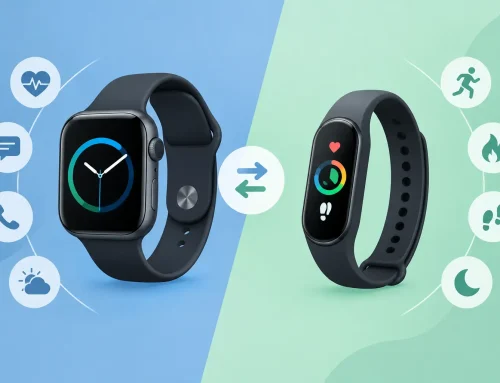
For most buyers, the biggest decision is not screen size or strap color. It is whether you need a full smartwatch for apps and calls, or a fitness-focused watch with longer battery life. Both can be good value, but they suit different daily use.
What to expect from a smartwatch under $200
At this price, expect a bright touchscreen, activity tracking, heart-rate monitoring, sleep tracking, notification support, and a choice of watch faces. Many models also include GPS, workout modes, water resistance, and Bluetooth calling. The feature list can look very close to a premium watch, but the trade-offs usually appear in build materials, app selection, charging speed, sensor accuracy, and long-term software support.
Do not assume every watch can make calls without your phone nearby. Bluetooth calling uses your connected phone’s signal. A watch with cellular service is less common below $200 and may require a separate service plan. If calls are a priority, check both the watch’s Bluetooth calling feature and its microphone and speaker quality.
Battery expectations also vary sharply. A Wear OS watch from Samsung or Google-style ecosystem may need charging every day or two. A lighter fitness watch from Amazfit, Xiaomi, or CMF can often run for a week or more. Daily charging is fine for some users, especially if they want apps and richer notifications. For others, it becomes the reason the watch stays on the desk.
Best smartwatch under 200: start with your phone
Phone compatibility should narrow the choices before you compare specs. Buying the wrong ecosystem is the fastest way to end up with missing features.
For iPhone users
Apple Watch remains the simplest option for iPhone owners. A new Apple Watch may sit above a strict $200 budget depending on the model and current pricing, but a carefully inspected pre-owned Apple Watch SE can be a practical option. You get tight iPhone notification handling, calls, Apple Pay support where available, safety features, and a familiar app experience.
The trade-off with a used Apple Watch is condition. Check the battery health, display, Digital Crown, side button, charging cable, and whether Activation Lock has been removed. Older models may also receive fewer software updates. A newer used SE is usually a safer buy than a much older premium model with a tired battery.
Avoid buying an Apple Watch for Android. It requires an iPhone for setup and is not a realistic cross-platform choice.
For Android users who want apps and a classic watch feel
The Samsung Galaxy Watch FE is one of the strongest options around the $200 mark for compatible Android users. It offers a proper smartwatch experience with a polished display, health and fitness functions, notifications, calls, and access to Wear OS apps. It also looks more like a traditional watch than a basic activity band.
It makes the most sense for Samsung phone owners, although it works with many Android phones. Some Samsung Health features may be limited when paired with another Android brand, so verify the functions that matter to you before paying extra. Battery life is typically the compromise. Plan on regular charging rather than a full week between charges.
A sale-priced Galaxy Watch model or a tested pre-owned unit can also be worth considering. Focus on software support, battery condition, charging performance, and whether the size is comfortable. A larger case can provide a better screen, but it may feel bulky during sleep tracking or workouts.
For buyers who want battery life first
Amazfit Active models, Xiaomi smartwatch options, and CMF Watch Pro models are often better choices when you want plenty of fitness tracking without another device that needs daily charging. These watches generally cover the basics well: steps, heart rate, sleep, workouts, GPS on selected models, notifications, alarms, and weather.
CMF Watch Pro 2 is particularly appealing for buyers who want a large AMOLED display and a clean, straightforward interface at a value price. It is not trying to replace your phone with a large app store. Instead, it handles daily health and notification duties while delivering battery life that is easier to live with.
This category is a good fit for students, shift workers, gym users, and anyone moving from a basic fitness band. The limitation is that third-party app support and advanced smart features will not match Apple Watch or Wear OS. If you want to reply to messages, install many apps, use contactless payment, or control a wide range of services from your wrist, spend carefully on a full smartwatch instead.
Features worth paying for
A long specification sheet can hide the features that make a difference after the first week. Prioritize the basics that match your routine.
- A bright display: An AMOLED screen is easier to read outdoors and usually makes watch faces look better. It can use more power, especially with an always-on display enabled.
- GPS that matches your workouts: Built-in GPS is useful for running, cycling, and walks without carrying your phone. Connected GPS is enough if your phone is always with you.
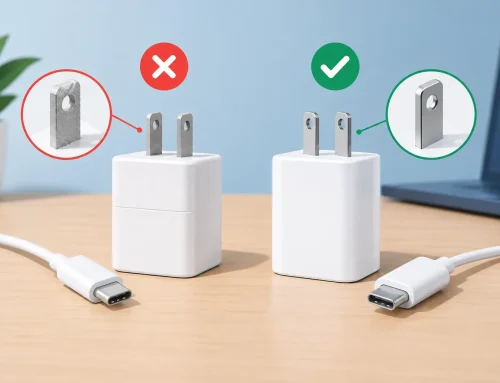
- Reliable charging: Check whether the watch includes a charger and whether it uses a proprietary cable. Replacing a missing charger can turn a bargain into a hassle.
- Water resistance: Look for a rating appropriate for sweat, rain, and swimming. Water resistance is not the same as being suitable for diving or high-pressure water sports.
- The right health tools: Heart-rate, sleep, and blood-oxygen readings can help you spot patterns, but they are not medical diagnoses. Treat wellness data as a guide, not a substitute for professional care.
NFC payments, ECG readings, body composition tools, and detailed recovery metrics are useful only if you will use them. Paying more for a feature you never open is still overspending.
New versus used: where the value changes
A new budget smartwatch gives you a fresh battery, manufacturer warranty coverage, and fewer setup concerns. It is usually the best route for fitness-focused watches, where current battery capacity matters more than premium materials.
A used smartwatch can bring you into Apple or Samsung’s higher-end ecosystem for less, but it needs closer checking. Ask about battery health, screen burn-in, frame damage, water exposure, account locks, and charging behavior. Test touch response, vibration, speaker output, and sensors where possible. Watches are worn hard, so cosmetic marks are less concerning than a weak battery or damaged charging contacts.
If you are buying in person, trying the watch on is useful. A watch that looks compact online can feel oversized on a smaller wrist. Check that the strap is secure, the buttons are easy to reach, and the display is readable without squinting. Gadget Affair’s hands-on approach to inspected devices can be especially useful when you are comparing a pre-owned premium watch against a new value model.
Do not let the price tag decide everything
The cheapest option is not automatically the best smartwatch under 200. A $70 watch with a weak app, poor notification reliability, and an uncomfortable strap may be less useful than a $150 model that works properly every day. On the other hand, a $200 smartwatch with advanced apps is not better if all you need is step tracking, sleep data, and a vibration alert for calls.
Set your priority before shopping. Choose Apple Watch or a verified compatible alternative if iPhone integration matters most. Choose Samsung or another Wear OS option if Android apps, calls, and a traditional smartwatch interface are the goal. Choose Amazfit, Xiaomi, or CMF if you want good health tracking and longer battery life without spending the full budget.
Buy the watch you will keep on your wrist, charge without frustration, and understand at a glance. That is the kind of value that lasts beyond the first week.