A used phone can look almost new in a product photo and still have a tired battery, a weak charging port, or a screen that has been replaced with a lower-quality part. That is why a guide to used Android grades matters before you compare prices. A condition grade is useful, but it is only one part of the buying decision. The best value comes from matching the grade, price, age, battery condition, and warranty to how you actually use your phone.
What Used Android Grades Actually Mean
Used Android grades describe a device’s cosmetic condition and, sometimes, its functional condition. They give you a quick way to compare a cleaner-looking device against one with more visible wear. The problem is that there is no single industry-wide grading system. A Grade A phone from one seller may have different standards from a Grade A phone elsewhere.
Treat the grade as the start of the conversation, not the full answer. A transparent listing should also tell you the storage capacity, color, whether the device is unlocked, the battery status if available, what has been tested, and any noticeable defects. If that information is missing, the grade alone should not convince you.
For most shoppers, the practical question is simple: how much wear are you comfortable seeing every day, and how much money does accepting that wear save you? A few light marks can be worth it if the savings are meaningful. Deep screen scratches, display damage, or charging issues are a different matter.
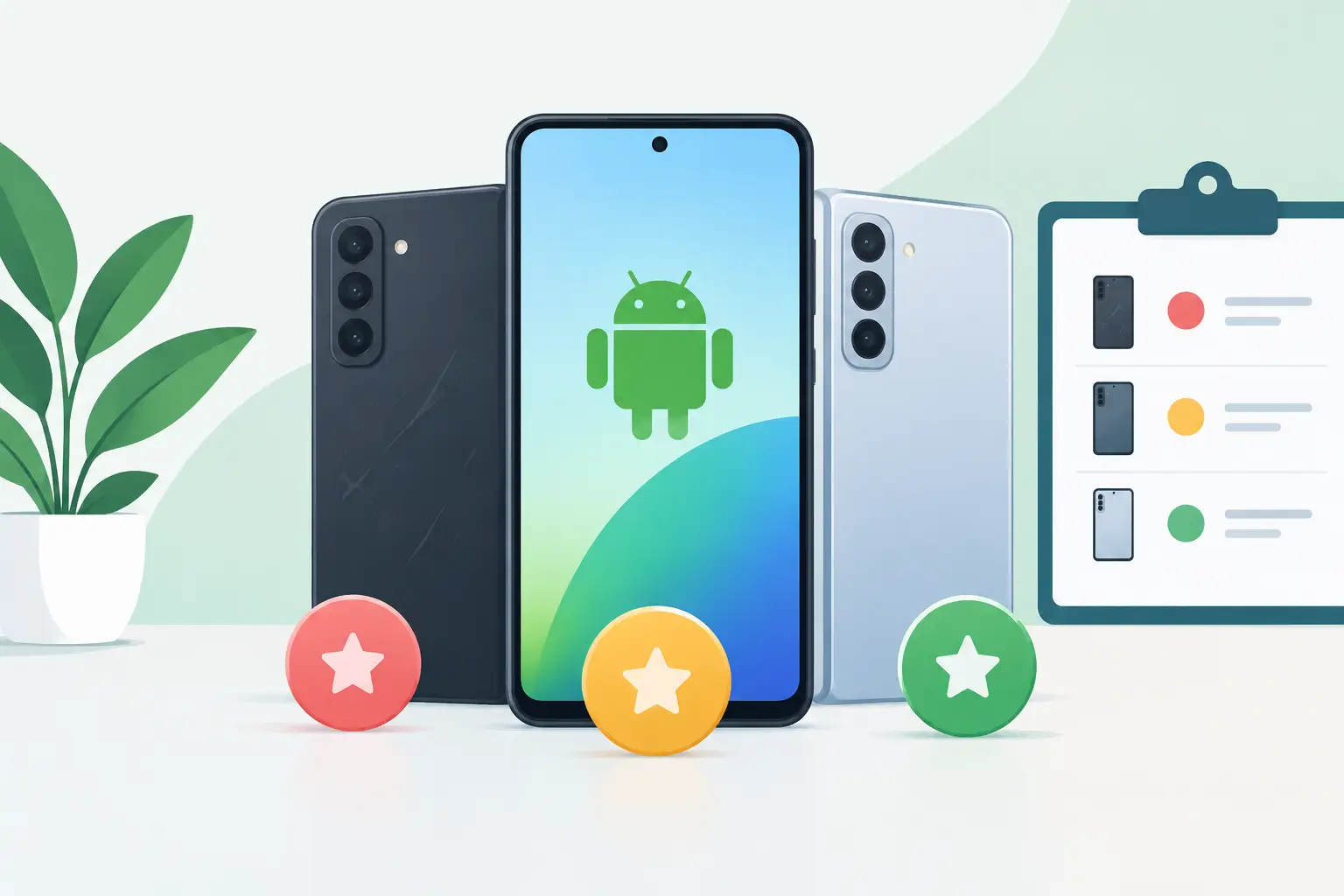
The Common Used Android Condition Grades
Grade A: Very Clean, Light Signs of Use
Grade A is usually the closest you will get to a near-new used Android phone. Expect a clean screen, minimal marks on the frame or back, and no obvious dents. You may still find tiny hairline scratches under bright light, especially around the charging port or camera bump. That is normal for a pre-owned device.
Grade A is a good fit if appearance matters to you, you plan to use the phone without a case, or you are buying it as a gift. It is also the grade many buyers prefer for newer flagship models, where the price gap versus a brand-new device is already smaller. Just make sure you are not paying so much that a new phone with full manufacturer coverage becomes the better deal.
Grade B: Visible Wear, Fully Usable Value
Grade B is often the sweet spot for value-focused buyers. The device should be fully functional, but it may show visible signs of normal use. Think light-to-moderate scratches, small scuffs on the frame, or wear around buttons and ports. The screen may have minor marks that are easier to see when it is off than when you are using it.
For a phone that will live in a case and screen protector from day one, Grade B can be the smart buy. You are paying less for cosmetics while keeping the same processor, cameras, storage, and software experience as a cleaner unit of the same model. The key is that the wear should be cosmetic, not structural. A dent that affects the frame, a loose button, or a lifting display should be clearly disclosed and priced accordingly.
Grade C: Heavier Cosmetic Wear
Grade C devices show clear signs of regular use. Expect more noticeable scratches, scuffs, paint wear, small dents, or screen marks. A Grade C phone can still be a reliable daily driver when it has passed functional checks, but it is for buyers who care more about price than presentation.
This grade makes sense as a backup phone, a first phone for a younger user, a work device, or a low-cost option for someone who needs essential Android apps, messaging, navigation, and calls. It makes less sense if you are buying an expensive recent flagship mainly for its premium look and feel. In that case, spending a bit more on Grade B may make you happier over the long run.
Fair or As-Is: Read the Listing Carefully
Some sellers use labels such as Fair, Acceptable, or As-Is instead of Grade C. These phones may have heavier wear or a stated issue, such as screen burn-in, a weak battery, a cracked back, an unreliable fingerprint sensor, or reduced water resistance after repair.
These devices are not automatically bad purchases. They simply require more care. A low price is only good value if the known issue will not disrupt your use or create a costly repair later. If you need a phone you can rely on for work, banking, two-factor authentication, and daily communication, a fully tested Grade B device is usually a safer choice than a heavily discounted as-is unit.
A Guide to Used Android Grades Is Not a Test Report
A phone can earn a high cosmetic grade and still need closer inspection. Condition grades mainly describe what you can see. The checks below tell you whether the phone is likely to work properly after you bring it home.
Start with the display. Open a plain white screen and then a dark screen. Look for dead pixels, unusual tinting, flickering, ghost touch, bright spots, and burn-in. OLED burn-in may appear as faint keyboard outlines, navigation bars, or status icons on a white or gray background. It is more common on older devices with heavy use.
Then test the basics that are annoying to repair later: charging, speakers, microphone, earpiece, vibration, physical buttons, cameras, Wi-Fi, Bluetooth, mobile signal, fingerprint reader, and face unlock if the model supports it. Plug in a cable and gently check that the port holds a connection. A phone that charges only at a certain angle can turn a bargain into a repair bill.
Battery health deserves special attention, even though Android does not show a simple health percentage on every model. Watch for rapid battery drain, unexpected shutdowns, excessive heat, or a battery that barely charges. Older flagships can still perform well, but a battery replacement may need to be part of your budget. Ask whether the battery has been tested and whether it has been replaced.
Finally, confirm that the phone has been properly reset, is free of activation or account locks, and can connect to the network you intend to use. A clean-looking phone that cannot be activated is not a deal.
Grade Is Only One Part of the Price
When comparing two used Android phones, do not choose based on grade alone. Compare the exact model, storage, RAM where relevant, chipset generation, screen condition, battery condition, included accessories, and warranty coverage. A Grade B model with 256GB of storage may be more useful than a Grade A model with 128GB if you keep lots of photos, videos, and games.
Age matters too. A spotless older phone may have fewer remaining software updates than a slightly worn newer model. For many buyers, newer Android support and better battery efficiency are worth more than a perfect frame. If you plan to keep the phone for several years, check the expected security update window before committing.
Also be realistic about water resistance. Even if a used phone was originally rated for water and dust resistance, seals can weaken with age, drops, or previous repairs. Do not buy a used phone assuming it is safe to take swimming or use in heavy rain.
How to Choose the Right Grade for Your Needs
Choose Grade A when you want a cleaner device, plan to resell it later, or simply dislike visible wear. Choose Grade B when you want the strongest balance of price and condition. Choose Grade C or Fair when the budget is tight and you have confirmed that the cosmetic flaws will not bother you or affect functionality.
A reputable seller should be comfortable describing the condition plainly instead of hiding behind broad terms such as “excellent” or “good.” At Gadget Affair, inspected pre-owned devices are easier to shop when the listing makes the model, storage, condition, and price clear, and when you can test the device before deciding.
The right used Android phone does not need to be flawless. It needs to be honest about its condition, priced fairly for its age and grade, and reliable enough for the way you use it. If the device passes your functional checks and the wear matches the discount, a few cosmetic marks can be a very good trade.