A used phone can look almost new, have the storage you want, and still become frustrating after a few days if the battery is worn out. Before handing over payment, take a few minutes to check used phone battery health properly. A battery replacement can be reasonable on the right model, but it should never be an expensive surprise after you buy.
Why Battery Health Matters on a Used Phone
Every phone battery loses capacity as it is charged and discharged. That is normal. What matters is how much capacity is left and whether the phone still behaves reliably under everyday use.
A phone with a healthy battery should get through a normal day based on its model, charge consistently, and stay reasonably cool while browsing, streaming, or using maps. A worn battery may drop from 30% to 5% quickly, shut down in cold air, take an unusually long time to charge, or become hot with light use.
Battery condition also affects value. Two used phones with the same storage, color, and cosmetic condition are not equal if one has 96% maximum capacity and the other is at 76%. The lower-capacity phone may still be worth buying if the price reflects the likely cost and inconvenience of a replacement. It depends on the model, your budget, and how long you plan to keep it.
How to Check Used Phone Battery Health on an iPhone
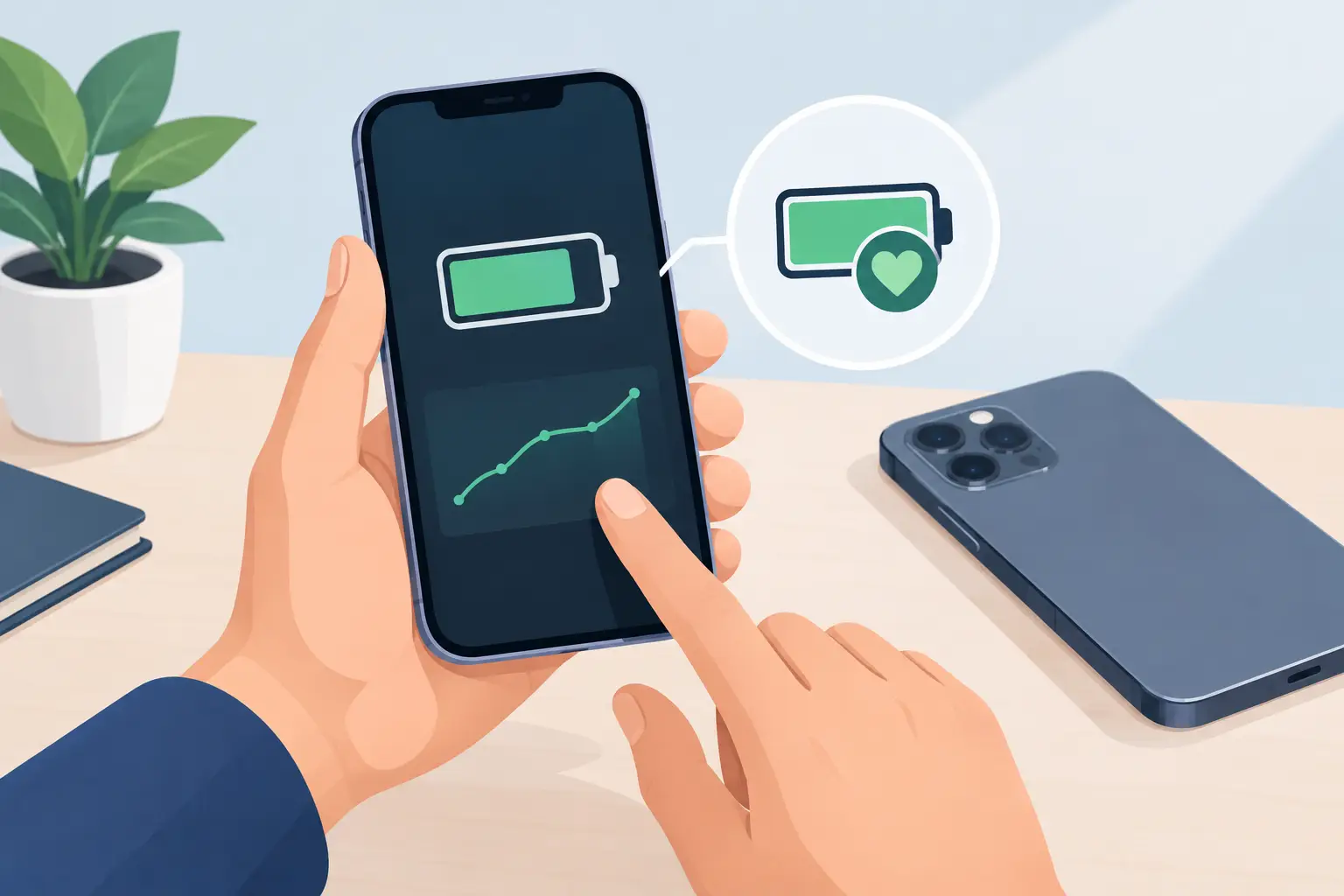
On most iPhones, go to Settings > Battery > Battery Health & Charging. The key number is Maximum Capacity, which estimates how much charge the battery can hold compared with when it was new.
For many buyers, 85% and above is a comfortable range for a used iPhone. Between 80% and 84%, the phone may still be fine, especially if the price is lower or you mainly need it as a backup device. Below 80%, expect shorter battery life and factor in a replacement sooner rather than later.
Do not judge the phone by capacity alone. On the same screen, look for messages about peak performance capability or an important battery message. A message saying the battery cannot be verified may mean it was replaced with a non-genuine or unrecognized part. That does not automatically make the phone unusable, but it affects transparency, potential resale value, and your confidence in the repair quality.
Newer iPhones may also show cycle count and manufacturing details, depending on the model and iOS version. A lower cycle count is generally better, but it is not a guarantee. A phone can have modest cycles and still have issues if it has been exposed to heat, water, or a poor-quality repair.
Check Whether the Battery Reading Looks Believable
Battery health data should make sense alongside the phone’s age and condition. An older device with near-perfect capacity is possible after a genuine battery replacement, but ask about it. A clear answer is a good sign: when it was replaced, who did the work, and whether any service message appears in Settings.
Be careful with a phone that claims 100% health but loses percentage quickly during a short test. Software readings are useful, not magic. Real-world behavior still matters.
Check Used Phone Battery Health on Android
Android battery menus vary by brand, model, and software version. Some phones show a battery health estimate in Settings > Battery, while others only show battery usage, charging options, or power-saving features.
On a Samsung phone, open Settings and search for “battery” or check the device diagnostics section if available. Google Pixel phones and other recent Android devices may provide battery information under Battery settings, but the exact menu can change after software updates. If a health percentage is not shown, do not assume the battery is perfect or defective. Move on to practical testing.
Avoid relying entirely on random dial codes or third-party battery apps when checking a phone in a store. Some codes no longer work across newer models, and apps can only estimate health from the data the phone allows them to access. They are a useful extra check, not the final answer.
For Android phones, also inspect charging status. Plug the phone into a compatible charger and confirm that it recognizes fast charging when the model supports it. A phone that repeatedly connects and disconnects, charges only at a certain cable angle, or stays stuck at the same percentage may have a port, cable, charger, or battery issue.
Test the Phone Instead of Trusting One Number
A quick hands-on test tells you what battery health menus cannot. Start with the displayed percentage, then use the phone normally for 10 to 15 minutes. Open the camera, watch a video, scroll through a few apps, turn up screen brightness, and connect to Wi-Fi or mobile data if possible.
The percentage does not need to stay perfectly still. What you are looking for is abnormal behavior: rapid drops, sudden restarts, extreme heat, lag when the camera opens, or a battery percentage that jumps after rebooting.
Then connect a charger. Confirm that the port feels secure and the phone starts charging right away. If wireless charging is a feature you plan to use, test that too when possible. Charging speed depends on the charger and cable, so do not reject a phone just because it does not show fast charging with an unknown accessory.
Pay attention to temperature. Mild warmth during charging, gaming, navigation, or camera use is normal. A device that gets uncomfortably hot during a simple setup or short video test deserves a closer look. Heat is tough on batteries and can also point to background software activity, charging problems, or hardware damage.
Physical Signs You Should Not Ignore
A battery problem is not always visible in Settings. Look around the edges of the display and back panel. If the screen is lifting, the back cover is separating, or the phone does not sit flat on a table, stop the inspection. These can be signs of a swollen battery.
Also check for a loose charging port, corrosion around the SIM tray, cracked rear glass near the wireless charging area, or signs that screws and seals have been disturbed. None of these automatically rule out a purchase, but they should affect the price and the level of risk you are willing to accept.
A used phone should not smell chemical, feel unusually hot while idle, or make a faint clicking sound when pressure is applied to a lifted screen. Do not try to press a bulging display back into place. A swollen battery needs professional attention.
What Is a Good Battery Health Percentage?
There is no single number that works for every buyer. For a current or recent model, 90% or higher is a strong result. Between 85% and 89% is usually a sensible range for a pre-owned phone at the right price. At 80% to 84%, buy only if you understand that battery life may be noticeably shorter.
Below 80%, the phone is better treated as a value purchase with a likely battery replacement ahead. That can still be a good deal for an older iPhone, a spare phone, or someone who mostly uses the device near a charger. It is less appealing for a student, commuter, or heavy user who needs dependable all-day battery life.
Model efficiency matters too. A larger, newer phone at 84% may last longer than an older compact phone at 90%. Compare the battery health reading with the specific model’s normal reputation, not just the percentage on its own.
Questions Worth Asking Before You Pay
Ask whether the battery is original or replaced, whether the phone has had water damage, and whether charging has been tested with a known-good cable. If the seller says the battery was replaced, ask if the phone displays any parts or service warnings.
You should also confirm the return, exchange, or warranty terms for used devices. Battery wear is expected in pre-owned phones, but a reputable seller should be clear about the tested condition rather than making vague promises. When buying in person, take advantage of the chance to inspect the settings and run your own charging test before you leave.
A good used phone is not necessarily the one with the highest battery percentage. It is the one with a battery condition, price, and warranty that all make sense together. Check it carefully, ask direct questions, and buy the device that still fits your day after the excitement of a bargain wears off.