A used phone should feel like a smart upgrade, not a gamble. When shopping for used phones Burlington Square, the real value is not simply the lowest price on the tag. It is getting a device that matches your daily needs, has been clearly assessed, and can be tested before you commit.
For students replacing a cracked handset, working professionals moving up to a better camera, or anyone who does not want to pay full flagship pricing, pre-owned phones can make a lot of sense. The key is knowing what to check and where condition matters most.
Why Buy a Pre-Owned Phone?
A well-chosen used phone can put better specs in your hands for the same budget. Instead of stretching for a basic new model, you may be able to consider a previous-generation iPhone, Samsung Galaxy, Google Pixel, Xiaomi, Oppo, or other established brand with more storage, a stronger processor, and a better camera system.
The best choice depends on how you use your phone. If you mainly message, stream, scan QR codes, and browse, a reliable mid-range model may be all you need. If you shoot videos, play mobile games, run work apps, or keep a large photo library, prioritize processor performance, battery condition, screen quality, and storage capacity over cosmetic perfection.
Pre-owned does come with trade-offs. A device may show light wear, and its battery will not perform exactly like a brand-new one. Older models may also have fewer years of software support remaining. That is why an honest condition assessment matters more than a vague promise that a phone is “like new.”
Used Phones Burlington Square: What to Check
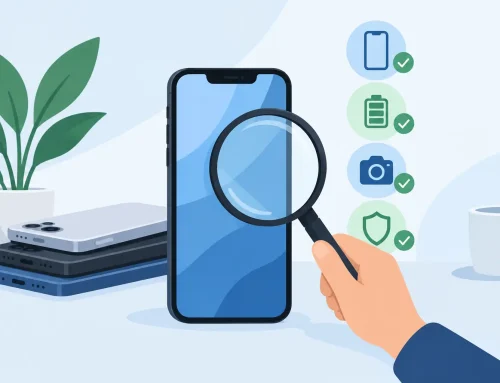
Before comparing models, check the basics that determine whether the phone will be dependable after you leave the store. A good seller should be able to explain the device condition clearly and give you time to inspect it.
Screen, body, and camera condition
Start with the screen. Look at it under bright light for deep scratches, cracks, dead pixels, discoloration, burn-in, or touch areas that do not respond properly. Small cosmetic marks on the frame may be acceptable if you are focused on value, but they should be reflected fairly in the price.
Open the camera app and test both front and rear cameras. Take a photo, switch lenses if the model has them, focus on a nearby object, and record a short video. A clear lens and working autofocus matter far more than a polished-looking phone body.
Battery health and charging
Battery condition is one of the biggest differences between a great used-phone deal and a frustrating one. Ask about battery health where the device provides that information, particularly on iPhones. For Android phones, check how quickly the battery percentage changes during use and whether the unit charges consistently.
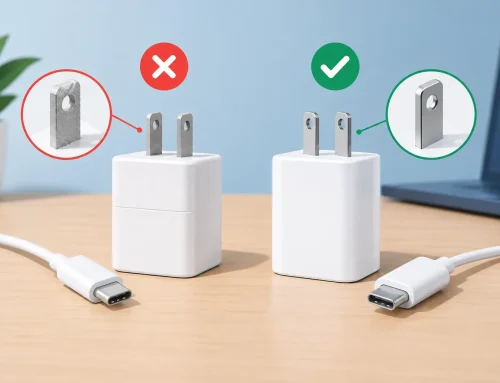
Plug in a charger if testing is available. Confirm that the charging port is not loose, that the device recognizes the cable, and that wireless charging works if it is a feature you plan to use. Heavy users may prefer a newer used model with stronger battery life, even if it costs a little more.
Network, SIM, and account status
A phone needs to work on your network, not just turn on. Confirm that it accepts your SIM card or supports the eSIM setup you use. If you travel, dual-SIM support can be useful for keeping a local number and travel line active without carrying a second phone.
Make sure the device has been properly signed out of the previous owner’s Apple ID, Google account, Samsung account, or other activation system. A locked device can become unusable after a reset. You should also confirm that cellular calling, mobile data, Wi-Fi, Bluetooth, speakers, microphone, fingerprint reader, and face unlock are working as expected.
Storage and performance
Storage is often overlooked until your phone starts warning you that it is full. A 128GB model is a comfortable starting point for many people, while 256GB or more is worth considering for frequent video recording, gaming, downloads, or large WhatsApp media folders.
Test navigation through the settings, camera, and a few apps. The phone should respond normally without random restarts, overheating during light use, or obvious lag. Keep expectations realistic: an older entry-level device will not feel as fast as a recent flagship. What matters is whether its performance suits your own apps and routine.
Pick the Right Model for Your Budget
It is easy to get pulled toward the most premium device in the display case. A better approach is to set a budget, then choose the newest model that covers your actual requirements.
For a straightforward daily phone, look for a dependable model with good battery life, at least 128GB of storage if possible, and software support that is still active. For photography, compare real camera results and stabilization rather than judging only by megapixel numbers. For gaming, focus on chipset performance, RAM, display refresh rate, and heat management. For work, prioritize call quality, battery, storage, and a screen size you can comfortably use for email and documents.
Brand preference matters too. iPhones often appeal to users already using Apple services, AirPods, Apple Watch, or iCloud. Samsung Galaxy models offer a wide range of price points and familiar Android flexibility. Google Pixel phones can be a strong pick for clean software and photography, while Xiaomi, Poco, Honor, Oppo, Realme, and Nothing can offer competitive specs for the price. There is no single best brand – there is only the best fit for your budget and usage.
Why In-Store Testing Makes a Difference
Photos in a listing can show the general condition, but they cannot tell you how a phone feels in your hand or whether the display, cameras, and buttons work the way you expect. Visiting a physical shop gives you the practical advantage of seeing the actual device before payment.
At Burlington Square 01-12, Gadget Affair gives buyers the chance to view and test pre-owned devices in person. That is especially useful when choosing between two storage variants, comparing screen sizes, or deciding whether light cosmetic wear is worth the lower price.
Use the time well. Insert your SIM if appropriate, make a quick call, test the speakers, connect Bluetooth, and check the display at different brightness levels. If you are moving from an older phone, compare the new device’s weight, size, charging port, and SIM arrangement so there are no surprises later.
A Quick Pre-Payment Check
Before paying for a used device, run through these final checks:
- Confirm the exact model, color, storage capacity, and whether it is a local set.
- Inspect the screen, frame, camera lenses, buttons, charging port, and SIM tray.
- Test calls, mobile data, Wi-Fi, cameras, speakers, microphone, biometric unlock, and charging.
- Ask what accessories are included and clarify the stated device condition and any applicable shop terms.
This takes only a few minutes and can save you the hassle of discovering a mismatch after you get home. Keep your receipt and any condition documentation for your records.
Make Your Old Phone Part of the Upgrade
If your current phone still works, a trade-in or buy-back can reduce the cost of your next device. Back up your data first, sign out of all accounts, remove your SIM card, and erase the phone only after you have confirmed your backup is complete.
Condition, model, storage, battery state, and whether the screen or body has damage can affect the offer. Being upfront about faults makes the process faster and avoids disappointment when the device is inspected. Sometimes repairing a simple issue before trade-in is worthwhile, but for older models, it may be better to put that money toward the replacement instead.
A good used-phone purchase is about matching the device to your life, checking its condition properly, and paying a price that makes sense. Take a few minutes to test what matters to you, and you can walk out with a phone that feels like an upgrade from the first call.