A tablet that is great for video can still be annoying to read on. If you are shopping for the best compact tablets for reading, focus less on headline performance and more on the things you will notice after 40 pages: weight, screen comfort, battery life, and whether the device fits comfortably in one hand.
For ebooks, manga, articles, lecture notes, and saved web pages, an 8- to 9-inch tablet is usually the sweet spot. It is much easier to carry than a 10- or 11-inch model, while giving you more flexibility than a dedicated e-reader. The right choice depends on whether you mainly read books, consume comics, study from PDFs, or want one small device for reading, streaming, and everyday apps.
What makes a compact tablet good for reading?
Screen size matters, but it is not the only number worth checking. An 8-inch tablet is close to the footprint of a paperback book. It slips into a small bag, feels manageable on the train, and is far less tiring to hold in bed than a larger tablet. A 9-inch display gives PDFs and comics more room, although the device may be noticeably wider and heavier.
Resolution is the next priority. Text should look sharp at normal reading distance, especially if you read small fonts or long articles. A lower-resolution screen can still work for casual reading, but fine text may look soft and force you to increase the font size. For manga and comics, a sharper display also helps preserve detail in line art.
Brightness and screen finish affect comfort more than many buyers expect. A bright display helps outdoors and near windows. A matte or anti-glare screen can be useful under harsh lighting, but many compact tablets use glossy displays. In that case, a good screen protector and adjusting brightness can make a real difference.
Battery life matters because reading is often a long, quiet activity. Most current compact tablets can handle hours of reading without trouble, but a tablet with poor standby efficiency becomes frustrating when it is flat after sitting in a bag for a few days. If you plan to download books, comics, or videos for travel, storage is just as important.
Best compact tablets for reading: the top options
Apple iPad mini
The iPad mini remains one of the strongest all-round choices for readers who already use an iPhone, AirPods, or other Apple devices. Its compact 8.3-inch display is sharp, responsive, and large enough for ebooks, web articles, and many comics without making the tablet feel bulky.
It is especially good for people who want more than a reading device. You can move from Kindle or Apple Books to note-taking, video calls, streaming, games, and school or work apps without feeling like you are using a limited device. The Apple Pencil support is a bonus for marking up documents or writing quick notes.
The trade-off is value. The iPad mini is usually priced higher than Android alternatives, and storage upgrades add to the cost. The base storage may be enough for ebooks, but it can fill up quickly if you download large comic collections, offline shows, or games. For a buyer who wants the smallest premium tablet and plans to keep it for years, it is a sensible pick. For reading alone, it can be more tablet than you need.
Samsung Galaxy Tab A9
The Samsung Galaxy Tab A9 is a practical choice if you want a compact Android tablet at a more approachable price. Its 8.7-inch screen gives you a little more reading area than an 8-inch model, and its slim, portable shape works well for commuting, casual browsing, and bedtime reading.
This is the kind of tablet that makes sense for ebooks, web reading, YouTube, and everyday apps. Samsung’s Android experience is familiar to many users, and the microSD card slot is a real advantage for anyone building an offline library. You can keep books, PDFs, music, and downloaded media without paying extra for a higher internal storage tier.
The main compromise is the display. It is not as sharp or polished as the iPad mini or Samsung’s higher-end models. If you read mostly novels with larger text, that may not matter. If you spend hours on detailed PDFs, manga, or tiny web text, a higher-resolution screen is easier on the eyes.
Samsung Galaxy Tab Active5
The Galaxy Tab Active5 is a more specialized option, but it deserves attention for readers who need durability. Its 8-inch size is easy to hold, and the rugged build makes more sense than a fragile premium tablet for outdoor work, travel, workshops, or a busy household.
It is also useful for readers who prefer physical controls. Touchscreens are convenient, but real buttons can be helpful when your hands are wet, gloved, or simply tired. The removable battery design is another practical feature that is rare on mainstream tablets.
You are paying for toughness rather than the prettiest display. It is not the best choice if your priority is reading comics in vivid color or watching movies in bed. But if you need a compact device that can handle rougher daily use while still running reading and productivity apps, it is a strong fit.
Lenovo Tab M9
For a budget-focused buyer, the Lenovo Tab M9 is worth considering when the price is right. Its 9-inch display is slightly larger than the usual compact tablet format, making it more comfortable for PDFs and digital magazines while still being easy to pack.
It works best as a straightforward media and reading tablet. Load it with reading apps, use it for browsing and streaming, and keep expectations realistic around speed. It is not designed for heavy multitasking, demanding games, or editing large documents.
Check the storage and RAM configuration before buying. Entry-level variants can feel tight once you install several apps and download content. A version with more memory and expandable storage will give you a better experience over time, especially if multiple family members use the tablet.
Choose the screen for what you actually read
Novels and articles are forgiving. Almost any decent compact tablet can display clear black text on a white background, and you can adjust font size, background color, and brightness to suit your eyes. For this use, weight and battery life may matter more than having the highest resolution.
PDFs are different. A standard letter-size document shrunk onto an 8-inch screen can feel cramped, particularly when it has charts, small tables, or two-column layouts. You can zoom and scroll, but that gets old during long study sessions. If PDFs are your main reading material, a 9-inch tablet is the minimum worth considering, and a larger tablet may honestly be the better purchase.
Manga, comics, and magazines benefit from a sharp display and enough storage. Full-color comic files can be large, while detailed black-and-white manga pages look better when the screen has good resolution. A microSD slot is useful here, though make sure your preferred reading app can access files stored on the card.
Do not overlook storage, weight, and accessories
A compact tablet should feel compact after you add a case. A heavy folio case can make a small tablet less pleasant to hold, while a basic slim case protects the back without changing the feel too much. If you read one-handed, look for a case with a hand strap or a cover that folds into a stable stand.
For storage, 64GB can be enough for ebooks and a few apps. It becomes restrictive if you download lots of videos, games, comics, or large PDFs. If there is a microSD card slot, that gives you more breathing room. If there is not, buying more internal storage upfront is often cheaper than replacing the tablet sooner than planned.
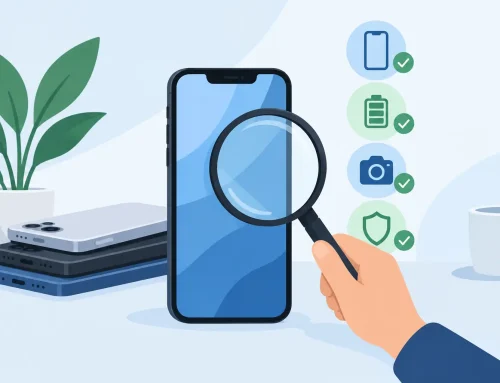
Used and pre-owned tablets can offer particularly good value, but condition matters. Check battery health where available, screen condition, charging port function, Wi-Fi connection, speakers, and whether the device has been properly reset. A visible scratch may not affect reading, but a weak battery or unreliable touch screen will.
When an e-reader is the better buy
A compact tablet is versatile, but an e-reader may still suit you better if you read mostly novels. E-ink screens are easier to view in direct sunlight, their batteries can last much longer, and they are generally lighter for extended reading. They are also less distracting because you are not one tap away from social media or games.
Choose a tablet when you want color, apps, PDFs, web articles, note-taking, and flexibility. Choose an e-reader when reading books is the main job and you want the closest thing to paper. Plenty of regular readers end up using both.
The best compact tablet is not necessarily the fastest or most expensive one. It is the one you will actually bring along, charge without thinking about, and enjoy using for another chapter before bed.