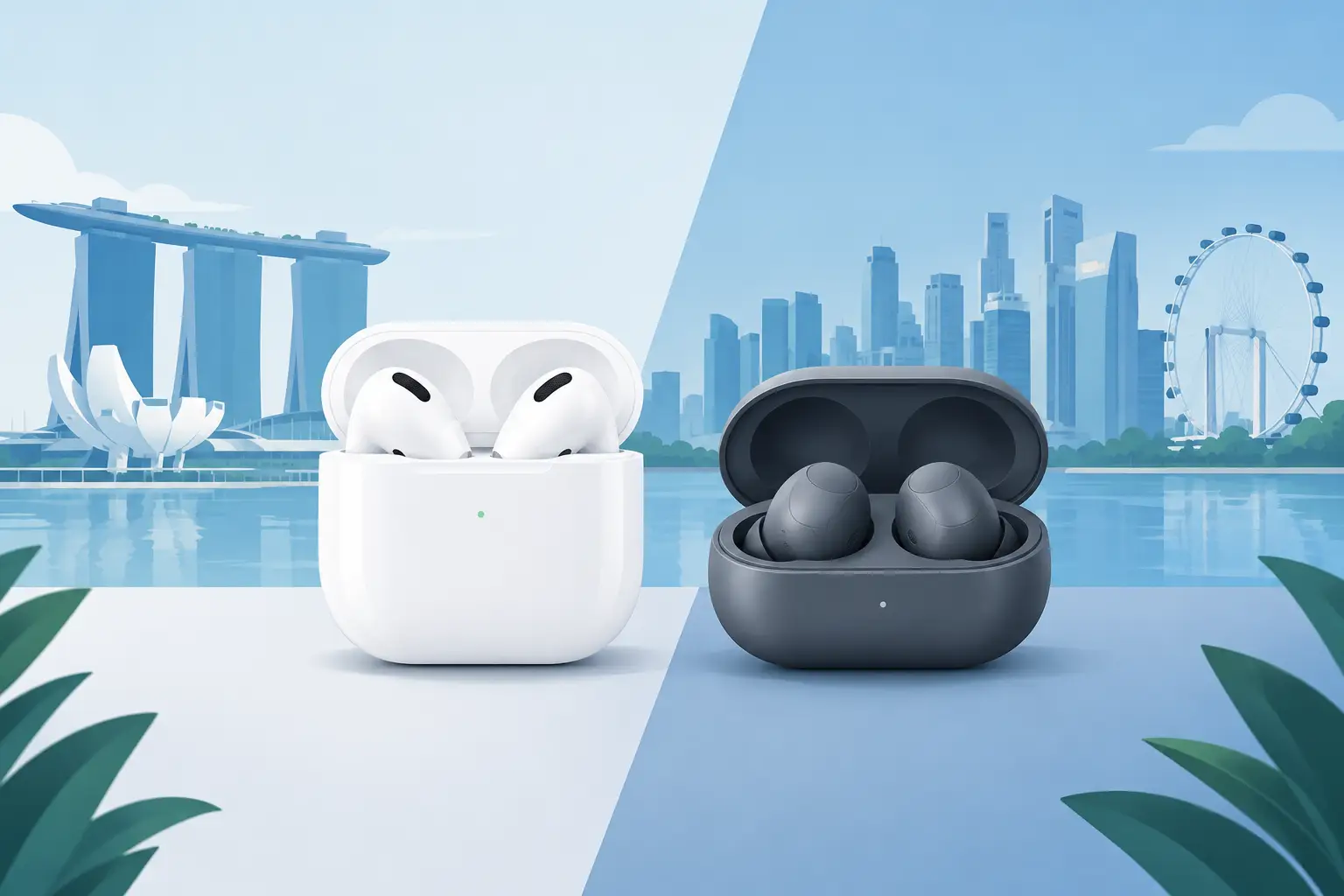
For most people comparing AirPods vs Galaxy Buds Singapore options, the answer is less about which logo is better and more about the phone already in your pocket. AirPods make the most sense with an iPhone. Galaxy Buds give Samsung users more features for their money. If you use Android but not a Samsung phone, the choice needs a closer look.
Both are solid choices for commuting, calls, study sessions, gym use, and watching videos on the MRT. The right pair comes down to ecosystem, fit, noise canceling needs, and how much you want to spend.
AirPods vs Galaxy Buds Singapore: The Quick Answer
Choose AirPods if you use an iPhone, iPad, or Mac daily and want the easiest connection, reliable switching between Apple devices, and a familiar sound profile. AirPods are especially convenient when you take calls across different Apple devices during the day.
Choose Galaxy Buds if you have a Samsung Galaxy phone and want stronger value, better in-app sound controls, and features that work best inside Samsung’s ecosystem. Galaxy Buds are often the smarter buy if you want active noise canceling and a secure in-ear fit without moving up to premium Apple pricing.
If your phone is from Google, Xiaomi, Nothing, Oppo, or another Android brand, Galaxy Buds can still work well over Bluetooth. Just do not buy them assuming every Samsung-only feature will be available. AirPods will connect to Android too, but you lose much of what makes them worth paying for.
Phone Compatibility Is the Deciding Factor
AirPods with iPhone, iPad, and Mac
This is where AirPods are hard to beat. Pairing is quick, and your earbuds can switch between supported Apple devices with very little effort. Features such as Find My support, battery status pop-ups, spatial audio on compatible content, and easy settings access are built directly into iOS.
For an iPhone user, this convenience matters more than a spec sheet. You take the AirPods from the case, put them in, and they generally just work. That is a real advantage if you do not want to adjust codecs, download companion apps, or troubleshoot connection settings.
The trade-off is value outside Apple. On Android, AirPods work for music and calls, but settings are limited. You may not see battery levels as clearly, change controls as easily, or access Apple-specific audio features. They become basic Bluetooth earbuds at a premium price.
Galaxy Buds with Samsung Phones
Galaxy Buds are at their best with a Samsung Galaxy phone, tablet, or laptop. The Galaxy Wearable app gives you access to equalizer presets, touch controls, ambient sound settings, firmware updates, and fit tests on supported models. Higher-end Galaxy Buds may also offer enhanced audio features when paired with compatible Samsung devices.
Samsung users also get practical extras such as easy pairing and device switching within the Galaxy setup. It is not identical to Apple’s ecosystem, but it is close enough that Galaxy owners should take it seriously before defaulting to AirPods.
With non-Samsung Android phones, the core experience remains good: Bluetooth pairing, music playback, calls, and noise control are still available on many models. Certain premium codec support and advanced integrations may be unavailable, so check the exact model and your phone before buying.
Sound Quality: Different Tuning, Not a Simple Winner
AirPods usually aim for a balanced, easy-listening sound. Vocals are clear, podcasts are easy to follow, and pop music sounds clean without requiring much adjustment. The open-fit AirPods models feel airy and natural, although they do not block much outside noise.
Galaxy Buds often give you more control over the sound. Their equalizer presets can help if you want more bass for hip-hop, EDM, or gaming, or a clearer setting for podcasts. Many Galaxy Buds models use silicone ear tips, which create a better seal than open earbuds. That seal can make bass feel fuller and improve isolation even before noise canceling is switched on.
Neither brand automatically wins for every listener. If you dislike the plugged-in feeling of silicone tips, standard AirPods may feel more comfortable. If you want deeper bass and less train noise, a sealed Galaxy Buds model is usually the better direction.
Noise Canceling and Transparency Mode
For Singapore commuting, active noise canceling is not a luxury feature. It can make a crowded bus, train ride, or busy coffee shop far more manageable at lower listening volumes.
AirPods Pro models are the stronger Apple option for noise canceling because their ear tips create a seal. Their transparency mode is also a standout feature for hearing announcements or speaking to someone without removing your earbuds. Standard open-fit AirPods provide less passive isolation, so even a model with noise control cannot match the quietness of a properly sealed in-ear design.
Galaxy Buds with active noise canceling can be very competitive, especially with a good ear-tip fit. Their ambient sound modes are useful when walking near traffic or waiting for your order. The exact performance varies by generation and model, so do not assume every Galaxy Buds pair has the same ANC level.
A simple rule helps here: if noise canceling is a top priority, compare AirPods Pro against Galaxy Buds models with silicone tips and ANC. Comparing them with basic open-fit AirPods is not an even match.
Comfort and Fit Matter More Than Most Specs
An earbud can have excellent sound and still be a bad buy if it hurts after 30 minutes. AirPods and Galaxy Buds approach fit differently.
Standard AirPods rest in the outer ear without silicone tips. Some people love this because there is less pressure and they can wear them for hours. Others find that they move around while walking or exercising. Their fit is highly personal, so it is worth testing if possible.
Galaxy Buds tend to sit deeper in the ear with multiple tip sizes. This usually gives better security for the gym and better noise isolation, but some users do not enjoy the in-ear feel. If you have had earbuds loosen during workouts, Galaxy Buds are often the safer choice.
Do not ignore fit when shopping on price alone. A discounted pair that you never wear is not good value. If you are buying pre-owned audio products, ask about hygiene, included ear tips, charging case condition, battery performance, and whether the items have been properly checked.
Calls, Battery, and Everyday Use
For calls, both brands can handle everyday conversations well. AirPods have a strong reputation for voice pickup, particularly when paired with an iPhone. Galaxy Buds also perform well for typical indoor calls, though wind and heavy traffic can challenge any true wireless earbuds.
Battery figures depend on the exact model, volume, codec, and whether ANC is enabled. Rather than focusing only on the largest advertised number, think about your routine. Most current true wireless earbuds can cover a commute and workday listening with charging case top-ups. For frequent travelers or long shifts, prioritize a model with dependable case capacity and USB-C charging convenience.
Wireless charging may be useful, but it should not be the reason you overspend. Good fit, stable connectivity, and a healthy battery matter more every day.
Which One Gives Better Value?
AirPods can be worth the price when you are fully invested in Apple devices. The convenience is part of the product. If your iPhone, MacBook, and iPad are all in regular use, the smoother device experience can justify paying more than for a spec-for-spec Android alternative.
Galaxy Buds often deliver better feature value for Samsung users, particularly when promotional pricing brings a higher-tier model closer to the cost of entry-level AirPods. You may get a more secure fit, adjustable EQ, active noise canceling, and a compact charging case at a competitive price.
For budget-conscious buyers, compare the exact model rather than the brand name. A base-model AirPods pair, an older Galaxy Buds model, and a flagship noise-canceling pair are built for different needs. Sale pricing, local warranty coverage, included accessories, and product condition can change the value equation quickly.
What to Check Before You Buy
First, confirm your phone model and the features you actually need. Then check whether you prefer open-fit or silicone-tip earbuds, whether ANC is essential, and how often you take calls outdoors. Finally, compare the total deal: local set status, warranty, charging cable or ear tips included, and the condition of the charging case if you are considering pre-owned stock.
If you want to try the fit before committing, visiting a store can save you from a frustrating purchase. At Gadget Affair in Burlington Square, you can ask direct questions, compare available options, and make sure the earbuds match your phone and budget.
The best pair is the one you will reach for every morning. Buy AirPods for Apple convenience, buy Galaxy Buds for Galaxy value and controls, and let fit decide any close call.