A good apple watch second hand purchase can save you a meaningful amount over retail without forcing you into an outdated device. A bad one can leave you with a watch that will not pair, needs a battery replacement soon, or has repair damage hidden under a clean-looking case. The difference comes down to a few checks that take minutes, not guesswork.
For most buyers, the sweet spot is a recent Apple Watch in verified working condition, with enough battery health left for a full day and a model that still supports the features you want. Do not let a low sticker price make those basics feel optional.
Start With the Exact Apple Watch Model
“Apple Watch” covers a wide range of models, sizes, and generations. Before comparing used prices, find out the exact Series, SE generation, or Ultra model being offered. Two watches that look nearly identical can have very different processors, displays, health features, and software support.
The model number is useful, but the seller should also be able to show the watch’s About screen. Check the case size as well. Smaller and larger sizes fit differently, and bands are not always interchangeable across every generation or size family.
Older models can still be fine for notifications, workouts, and Apple Pay. But if you want newer tools such as temperature sensing, crash detection, a brighter always-on display, or advanced health features, model age matters. Buying the cheapest option only makes sense if it matches how you will actually use it.
GPS or Cellular Changes the Value
A GPS Apple Watch relies on your iPhone or Wi-Fi for most connected features when you are away from home. A cellular model can make calls, send messages, and stream without your phone nearby, provided it is supported by your mobile carrier and plan.
Cellular is worth paying extra for if you run, commute, or work out without carrying your phone. If your iPhone is always with you, GPS is often the better-value buy. Do not assume a cellular watch can be activated on every carrier just because it has an eSIM. Confirm compatibility before you pay more for it.
The Apple Watch Second Hand Checks That Matter Most
A used watch needs to be tested as a device, not just inspected as an accessory. Cosmetic wear is easy to see. Account locks, weak batteries, and damaged sensors are where buyers get caught out.
Make Sure Activation Lock Is Removed
This is the non-negotiable check. If Activation Lock remains on, the watch is tied to the previous owner’s Apple Account and cannot be properly set up by you. It is not a problem you can solve by resetting the watch yourself.
Ask the seller to unpair the Apple Watch from their iPhone while you are there. That process removes the watch from their account and erases it. You should then be able to begin pairing it with your own iPhone. If a seller says they will remove the lock later, walk away.
A factory-reset screen alone is not enough proof. The real test is whether the watch can proceed through setup without asking for the previous owner’s Apple Account details.
Check Battery Health, Not Just Charge Percentage
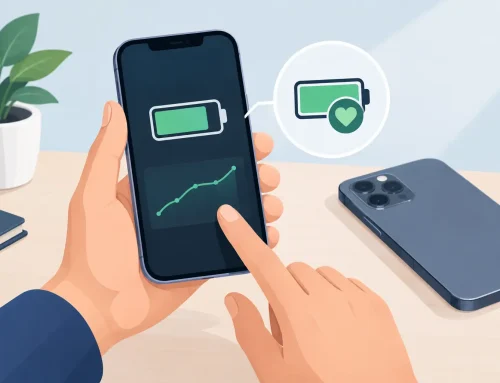
A watch at 100% charge may still have a worn battery. Open Settings on the Apple Watch, then go to Battery and Battery Health. This shows Maximum Capacity, which gives a clearer picture of remaining battery condition.
There is no single number that makes a watch unusable. A watch in the high 80s can still be a sensible buy at the right price, especially for lighter use. Once it gets closer to 80%, expect shorter runtime and factor a future battery service into what you are willing to pay.
Battery health also depends on the model and your routine. An older GPS watch used for basic notifications may be perfectly manageable. A cellular model used for long outdoor workouts will show its limits much faster. Always-on display, GPS tracking, cellular data, and frequent workouts all use more power.
Test the Screen, Crown, Buttons, and Sensors
Turn the Digital Crown through its full range. It should scroll smoothly without sticking, grinding, or skipping. Press the side button and check that it responds normally. On models with an Action button, test that too.
Look closely at the display on a light background. Deep scratches, dead pixels, flickering, green lines, or dark patches are red flags. Small marks on the case are normal on a pre-owned watch, but screen damage affects daily use and resale value.
If possible, test touch response across the full screen, raise-to-wake, speaker sound, microphone quality, vibration, and charging. Run a quick heart-rate reading to see whether the sensor works. For watches advertised with ECG, blood oxygen, or other health functions, availability can depend on the model and region, so verify the specific feature rather than relying on a product photo.
Inspect the Case and Ask About Repairs
Apple Watches are designed for water resistance, but that protection can be compromised by impacts, opened cases, and third-party repairs. A watch that has been repaired may still work well, but it should be priced honestly and disclosed clearly.
Check for dents around the corners, gaps between the display and case, loose buttons, cracks near the sensor area, and corrosion around the charging surface. A badly dented case may indicate a hard drop even if the screen is intact.
Be practical about cosmetic condition. Light scratches on an aluminum case are common and usually do not affect performance. A heavily scratched stainless steel case may polish up better, while a scratched screen is harder to ignore. What matters is whether the condition matches the asking price and the listing description.
Water resistance deserves extra caution. No used Apple Watch should be treated as guaranteed waterproof, especially if its history is unknown. It may survive rain and handwashing, but swimming or diving with a pre-owned watch is a risk you take based on its condition, age, and repair history.
Confirm iPhone Compatibility Before Buying
An Apple Watch needs an iPhone. It does not pair with Android phones, and newer watch software may require a newer iPhone version than you own.
Before committing, confirm that your iPhone supports the version of watchOS installed on the watch. This is especially relevant when buying newer Apple Watch models with older iPhones, or when you are passing down a watch to a family member using an older device.
Also consider whether you need Family Setup. It can be useful for a child or older family member without their own iPhone, but it has different feature limitations from a standard setup. A cellular-capable model is usually the more practical choice for this use case.
Check What Is Included, Then Price It Properly
The watch itself is the main value, but missing items still affect what a fair deal looks like. A genuine magnetic charging cable is useful, while a worn or unreliable cable is an immediate extra expense. Bands are more personal than essential, though a genuine band in good condition can add value.
Do not overpay for the box. It is nice to have, especially if you may resell later, but it does not make a weak-battery or locked watch a good purchase. Likewise, a bundle of cheap replacement bands should not distract from the condition of the actual device.
Compare like for like: the same model, case material, size, GPS or cellular version, storage where relevant, battery health, and condition. An Ultra, stainless steel model, or cellular model should not be compared directly with a basic aluminum GPS watch. The lowest price online is not always the best deal if there is no way to inspect, test, or return the device.
Buying From a Shop Versus a Private Seller
A private seller may offer the lowest upfront price, but you need to do every check yourself and accept more risk. Meet in a safe place, pair the watch before payment, and do not rush through the setup process because someone is waiting.
Buying from a retailer that checks pre-owned devices usually costs a little more, but it can save time and reduce uncertainty. You should expect a clear condition description, a stated model specification, and the chance to inspect the watch in person. At Gadget Affair, customers can view and test used devices before deciding, which is especially useful for wearables where fit, screen condition, and battery health matter.
A second-hand Apple Watch is a smart buy when the basics are verified: it is unlocked, pairs to your iPhone, has healthy enough battery capacity, and is priced according to its real condition. Take the extra few minutes to test it properly, then buy the watch that fits your routine instead of the one that simply looks like the biggest discount.