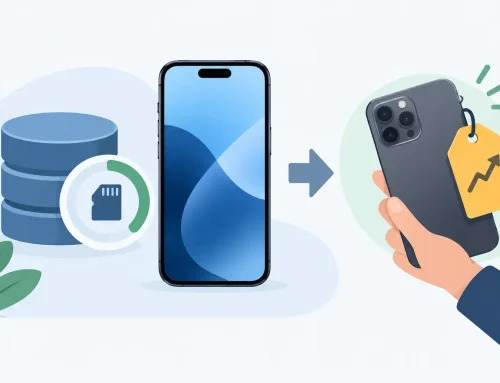
Your old phone may still be worth real money, even if the battery no longer lasts a full day or there is a small scratch on the frame. Before leaving it in a drawer, trade in to us and put its value toward a phone, tablet, wearable, or accessory you will actually use. The key is knowing what your device is worth, what affects the quote, and how to prepare it properly before handing it over.
A trade-in is not just about clearing clutter. For many upgraders, it is the simplest way to reduce the cost of a new device without dealing with meet-ups, lowball messages, or buyers who change their mind at the last minute.
Why trade in to us instead of selling privately?
Selling a phone privately can sometimes bring in more cash, especially for a recent flagship in excellent condition. But it also takes time. You need to take photos, write a listing, answer questions, arrange a meeting, and make sure payment is legitimate. If the buyer spots a minor mark that was already shown in the listing, you may still end up negotiating on the spot.
A trade-in gives you a more direct route. Your device is checked, its condition is assessed, and you receive a quote based on its current resale value. If you are already planning an upgrade, that value can immediately offset the price of your next purchase.
It is a practical option for people who value speed, convenience, and a clear transaction. You may not get the absolute highest figure that a perfect private sale could achieve, but you avoid the extra work and uncertainty. For a phone with noticeable wear, an older model, or a weak battery, that trade-off is often worth it.
What determines your phone’s trade-in value?
Two phones with the same model name can receive very different quotes. Storage capacity, cosmetic condition, battery health, repair history, and whether every core function works all matter.
A higher-storage version generally has stronger resale demand. For example, a 256GB model may command more than a 128GB version, particularly for iPhones and popular Samsung Galaxy devices. The exact model also matters. A current-generation device usually holds value better than one that is several years old, but well-kept older phones can still have solid trade-in value if there is demand for them.
Condition is where an honest check makes a difference. Light signs of use are normal. Deep dents, cracks, damaged camera lenses, screen burn-in, or liquid damage can reduce the value because they affect repair cost and resale potential. A device that looks clean but has a faulty Face ID, fingerprint sensor, charging port, speaker, camera, or display may also receive a lower quote.
Battery condition matters most on used phones that have seen heavy daily use. A battery that drains unusually fast does not always make a device untradeable, but it can affect the offer. The same goes for replaced parts. A professionally repaired screen may be fine, but non-genuine parts or repair warnings can influence a device assessment depending on the model.
Original accessories and the box can be nice to have, but the phone itself is the priority. Do not assume you need every cable or insert from the original packaging to trade in. Bring what you have, but focus first on making sure the device is functional, unlocked, and ready to be checked.
A quick condition check before you visit
Take a few minutes to inspect your device as a buyer would. Check the display on a white background for dead pixels, lines, or burn-in. Test the cameras, speakers, microphone, buttons, vibration, Wi-Fi, Bluetooth, and charging port. Make sure the touchscreen responds across the full display, including the edges.
Then look for cosmetic issues in good lighting. Small scuffs are different from a cracked back glass or a bent frame. Being upfront about the condition saves time and helps set realistic expectations for your quote.
Prepare your phone before a trade-in
Your personal data is more valuable than the device. Back up everything before you trade it in. Photos, messages, contacts, app data, authenticator codes, and files can be difficult or impossible to recover after the device has been reset.
For an iPhone, back up to iCloud or a computer, sign out of your Apple Account, turn off Find My, and erase all content and settings. Activation Lock must be removed before the phone can be accepted for resale.
For an Android phone, back up your data, remove your Google account, turn off factory reset protection where applicable, and perform a factory reset. If you use an eSIM, check with your carrier on how to transfer or remove it. Take out any physical SIM card and memory card as well.
Before resetting, transfer your authenticator apps carefully. Banking apps, work apps, and two-factor authentication tools can lock you out if you erase the old phone before moving your codes to the new one. This is one of the most common upgrade-day headaches, and it is easy to avoid with a few extra minutes of preparation.
Charge the device before bringing it in if possible. A phone with enough battery for a full check makes the process smoother, especially when it needs to be tested for cameras, charging, wireless connections, and account status.
Can you trade in a damaged or older device?
Often, yes. Not every device needs to be in showroom condition to have value. Older iPhones, Samsung Galaxy models, Google Pixel phones, Xiaomi devices, and other mainstream brands may still be useful as pre-owned devices, repair candidates, or parts units.
The offer will depend on the issue. A phone with a cracked screen but working cameras, board, buttons, and network functions may still be worth something. A device that cannot power on may also be assessed, although the value is usually lower because its full condition cannot be confirmed.
Do not spend money repairing a device just because you assume it will increase the trade-in price. In some cases, a screen replacement may help. In others, the repair cost may be higher than the extra value you get back. Ask for a quote based on its current state first, then decide whether a repair makes financial sense.
Use your trade-in value where it helps most
A trade-in can make a premium phone more manageable, but it can also improve a value-focused purchase. You might use the amount to step up from a base storage model to a larger-capacity version, add a protective case and screen protector, or reduce the price of a verified pre-owned phone.
This is where comparing the full cost matters. A newer flagship may have a better camera and longer software support, while a well-priced previous-generation model could be the smarter buy if your current phone mainly needs better battery life, more storage, or 5G support. Your trade-in value is part of the budget, not a reason to buy features you do not need.
If you are unsure between new and used, test the options in person when you can. At Gadget Affair in Burlington Square, you can inspect available devices and get a clearer sense of their condition before deciding where your trade-in value goes.
Get the best result from your next trade-in
The best time to trade in is usually before your current phone develops a major issue. A device with an intact screen, healthy core functions, and no account lock is easier to assess and generally holds more value. Waiting until the next launch may be worthwhile if you are happy with your phone, but resale prices can also move as newer models enter the market.
Bring the device in clean, charged, backed up, and signed out. Be clear about any repairs or faults. That is all you need to do to make the process straightforward.
Your old device has already done its job. If it can help lower the cost of your next tech purchase, put that value to work instead of letting it sit unused.